

My Magic Mirror
Turn your phone into an elegant mirror — the instant you wake it.
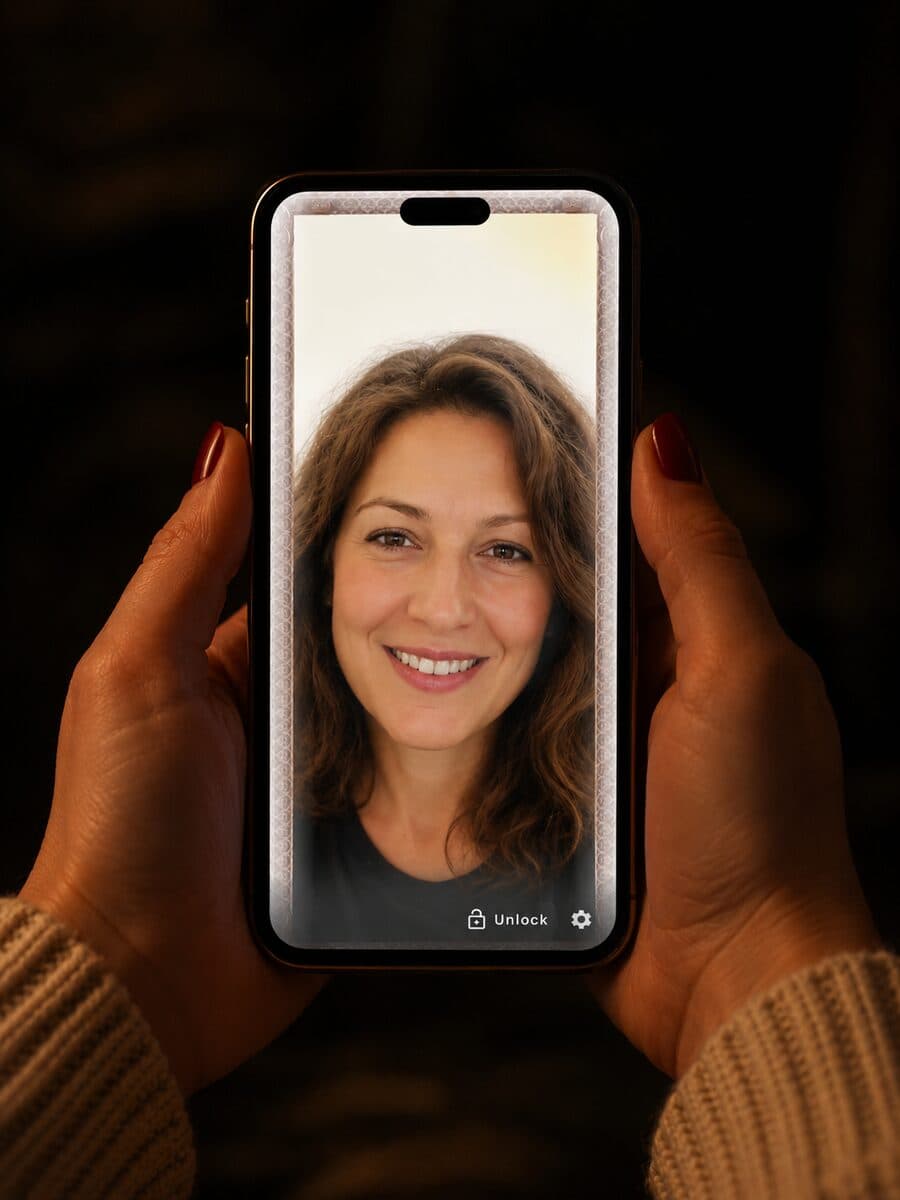
Wake your phone or tap a Quick Settings tile and your front camera fills the screen as a crisp, edge-to-edge reflection — framed in an elegant gilded design, with the time on display. Built for real mirror moments: makeup, hair, grooming, a quick check before you head out.
A clean reflection, genuinely private
No clutter on the mirror — controls appear only when you want them. And nothing from the camera is ever saved or sent: the reflection lives only on your screen, in the moment. No servers, no accounts, no analytics.
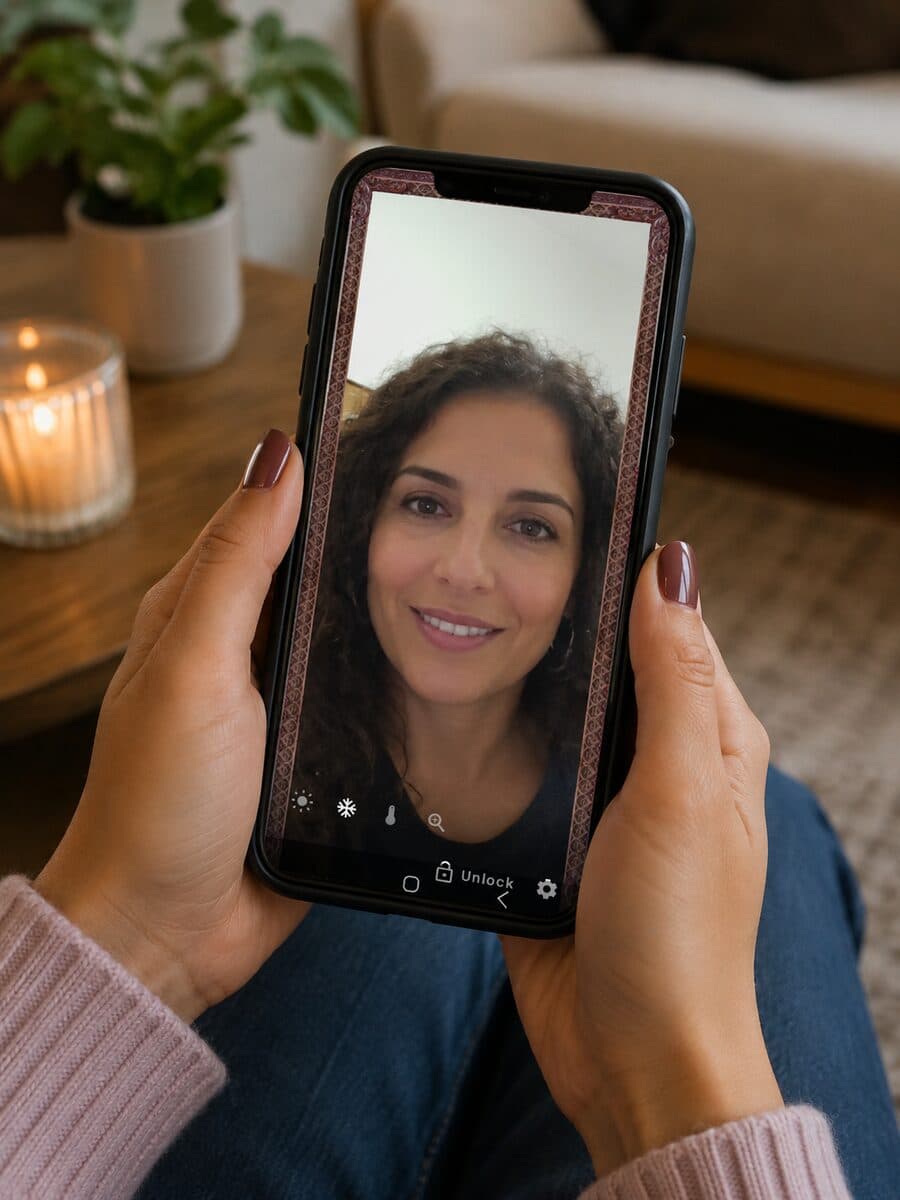
Everything a mirror should be
Instant lock-screen mirror
Your reflection appears over the lock screen — no need to unlock.
Wake to your mirror
Optional always-on mode shows the mirror every time you wake the phone.
Quick Settings tile
One tap from the quick-settings shade opens the mirror.
Screen ring light
A soft on-screen glow brightens your face in low light.
Color temperature
Warm or cool the reflection to match your lighting.
Freeze frame
Freeze the image to check a detail, then tap to resume.
Zoom
Get a closer look — pinch or slide to adjust.
Private by design
The camera is live-only; images are never recorded, stored or transmitted.
Works offline
The mirror needs no internet connection at all.
How it works
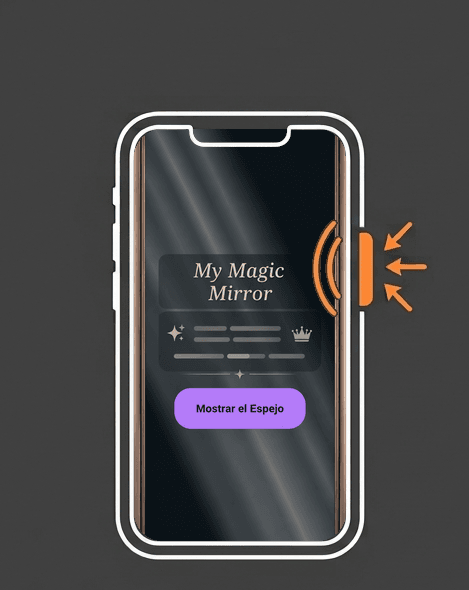
1. Wake your phone
The mirror appears instantly — or tap the Quick Settings tile. No unlocking needed.
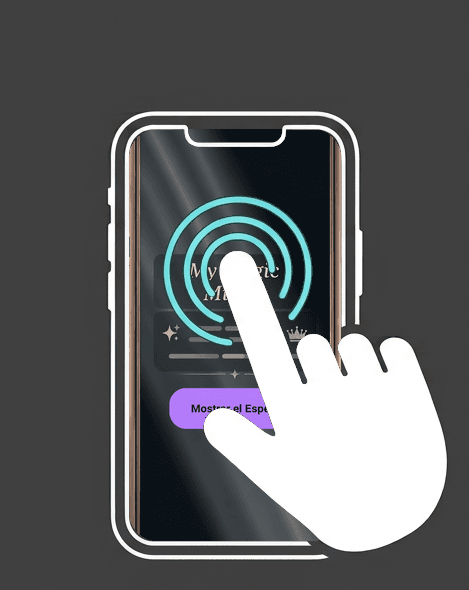
2. Tap the screen
Reveal the tools: ring light, color temperature, freeze-frame and zoom. They auto-hide for a clean reflection.
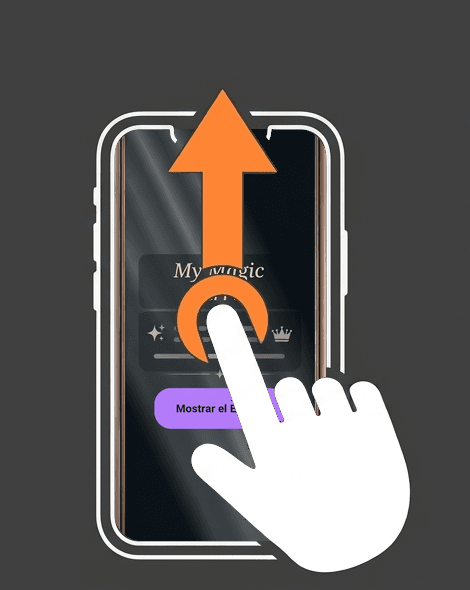
3. Swipe up to leave
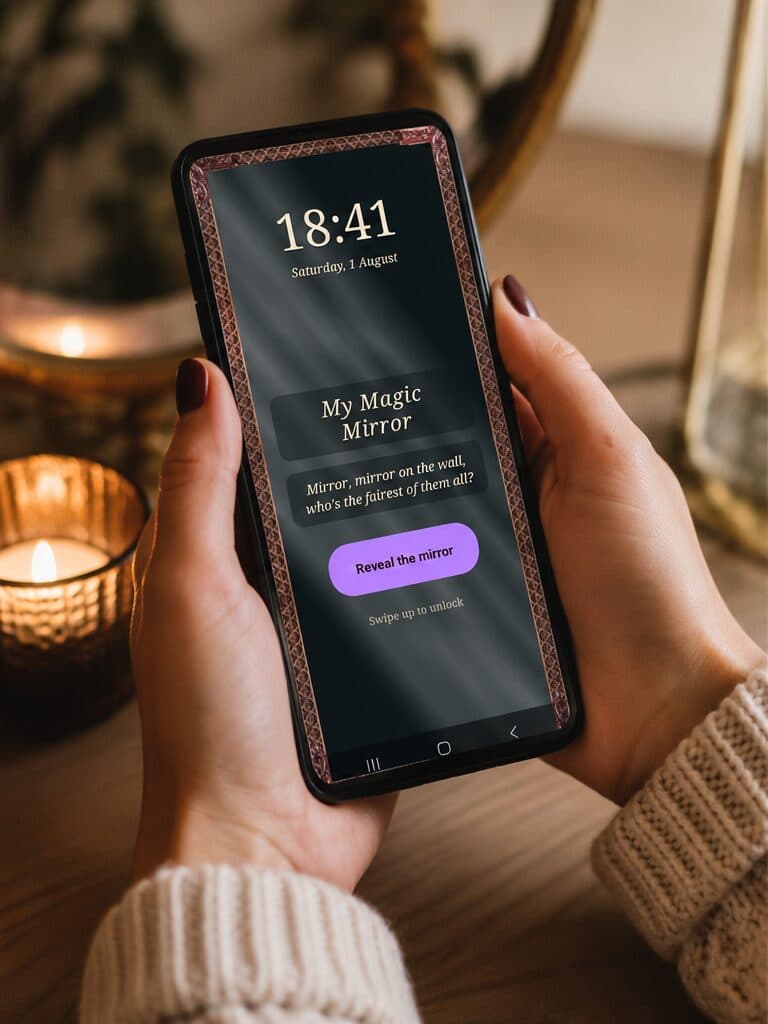
Swipe up on the welcome screen to unlock your phone and carry on.
Shines when everything else is dark
Getting ready in a dim room, a quick check in the car at night, backstage before you go on — the screen ring light wraps your reflection in a soft glow that lights your face evenly. No flash, no harshness. Pair it with color temperature to match the moment: warm candlelight or cool daylight.
- Soft, even light from the screen itself — no LED needed.
- Adjust the warmth to flatter your skin tone.
- A premium tool — free to try.
Free, with a one-time upgrade
Free
The full-screen mirror plus pinch-to-zoom — always free.
Premium
One-time purchase, no subscription: ring light, color temperature, freeze-frame, extended zoom, and no ads. New users get a free trial of the premium tools.
Android 9.0+ · Free to download · Available in English, Spanish, Portuguese, French, Italian and German
Right there the moment you wake your phone
Turn on always-on mode and My Magic Mirror greets you every time you wake your device: an elegant gilded welcome screen with the time, the date and — if you like — a phrase of your own. One tap reveals the mirror; one swipe up unlocks your phone and you carry on.
Coming soon to Google Play